YAPVO

What you can use today

Features, built around your words.

Two simple tools that save you from typing the same answer again and again, so you have more time to create.

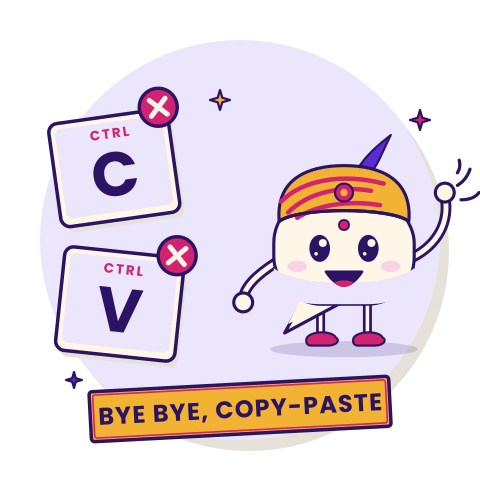
Indian illustration with the Ctrl C and Ctrl V keys crossed out, about avoiding repetitive replies.
Illustration only · replies follow your chosen rules and the platform.

Two tools, ready today.

Use YAPVO on your Instagram posts and reels, or to share a quick note with anyone.

Instagram

Comment-to-DM automation

Choose a supported post or reel and a keyword. When an eligible comment matches, YAPVO can use the public reply and first DM you wrote. A later follow-up depends on the response your workflow requires and the platform rules that apply.

See how it works →

YAPVO Drops

Notes with an end date

Write a note, a prompt or a set of steps and share it with one link. Choose how long it stays live, from one hour to 30 days, and turn it off whenever you like.

See how Drops work →

From a comment to a helpful follow-up.

A simple workflow has a clear beginning and a next step. You set it up once for a supported post or reel and keep control over what it says.

01 · Start

The keyword and public reply

Choose the word that fits your content and write an acknowledgment for eligible comments. You can make it specific to a tutorial, product question or useful detail.

02 · Connect

Your first DM

Use your own words to tell the follower what happens next. The initial message can invite a response before additional information is delivered.

03 · Follow through

A response, then the next message

When the recipient gives the qualifying reply in your configuration, YAPVO can send the follow-up you prepared, subject to applicable Instagram permissions and messaging rules.

You stay in control

Your words

You decide exactly what your public reply and DMs say.

Your timing

Pause or resume an automation whenever you want.

Your account

Connect through Instagram’s own permission screen. YAPVO never asks for your password, and you can disconnect any time.

Good to know: YAPVO works with Instagram Professional accounts and follows Instagram’s messaging rules.

Useful answers for everyday creator questions.

One creator may share a size guide. Another may send a photo tutorial, ingredient list, event note or booking page. The common thread is a reply that matches what someone actually asked.

For short notes, YAPVO Drops is a separate tool: write plain text, choose an expiry and share its public link. Drops are not a file uploader or a private vault, so avoid placing passwords or sensitive details in a Drop.

Use it on the web or on Android

Sign up in your browser, or download the YAPVO app from Google Play. Your account works on both.

Quick answers

Which Instagram accounts work with YAPVO?

An Instagram Professional account (Creator or Business) that you manage, with the authorization and other connections required for the supported Meta APIs.

Can I choose my own keywords?

Yes. You pick the keyword for each post or reel, and you write every message.

Do people have to reply with a specific word?

CONTINUE is an example word, not a universal requirement. Available workflows can use a configured continuation keyword or a supported reply-based continuation mode.

What can I share in a Drop?

Text, like notes, prompts, instructions or a checklist. Drops are for text only, and anyone with the link can read it until it ends.

What happens after someone comments a keyword?

For an eligible comment on a configured post or reel, YAPVO can deliver the public reply and initial DM you set up. A follow-up is sent only when the required recipient response and applicable platform conditions are met.

Can I pause an automation?

Yes. You can pause or manage an automation through the available product controls when it no longer fits the post or conversation.

Does YAPVO ask for my Instagram password?

No. You connect an eligible Instagram Professional account through the supported Meta authorization flow. Never send your Instagram password or one-time login code to anyone by email.

How long can a YAPVO Drop stay active?

Current expiry choices range from one hour to 30 days. You can revoke an active Drop sooner. Anyone with its public link may read the text while it remains active.

Can I start on the web and use YAPVO on Android?

YAPVO has a Web App and an Android app listing on Google Play. Both use your YAPVO account; available interfaces and features can vary by installed release.

Ready to make your next conversation yours?

Write your words, connect your Instagram Professional account, and you’re ready to go.